Ametnes ERP - Managing Accounts#
In the Ametnes ERP system, accounts are divided into two groups - Bank Accounts and Virtual Accounts.
Bank Account#
To manage monies coming in and out of the firm, it is best to create an account which will have a corresponding journal within the system.
To create a bank account in the Ametnes ERP system,
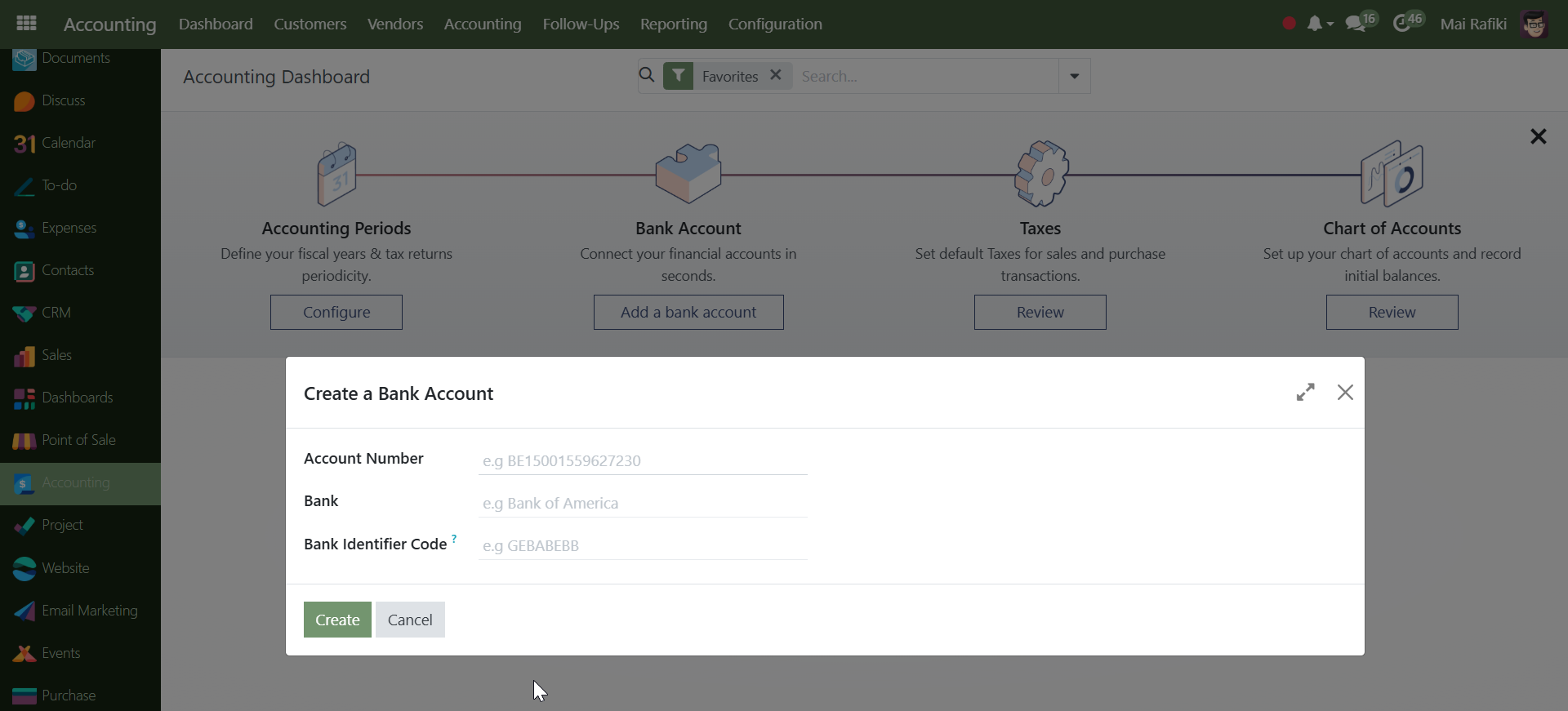
- Click on the Accounting left menu, to navigate to the Accounting dashboard.
- Click on the Configuration -> Add Bank Account menu.
- In the Create a Bank Account form will show.
- Enter the Account Number.
- Enter the name of the Bank.
- Enter any Bank Identifier Code.
- Enter the Journal.
- Click
[Save]button.
Account Journal
Funds move in and out of an account through a journal. It is therefore advisable to have the Journal (in the above steps) match the name of the account.
Account Groups#
Account Groups are the collection of Ledgers with the same characteristics. They are used to establish the hierarchy of Ledger Accounts, which aids in the creation of relevant and compliance reporting. Ametnes ERP uses the Account groups of Regular, Payable, Receivable, and Liquidity.